Monday, December 27, 2010

Hero rats


Just watched a cool Ted talks video about rats!

These rats are "hero rats." Some are trained to sniff out land mines, others to sniff out tuberculosis.

The director of the program is a guy who quit his job as an engineer to solve some of the developing world's most pressing problems. I admire him.

I'd like to donate to the cause. Have to figure out my reluctant PayPal account first.

Those rats are both clever and cute!

Monday, December 20, 2010

12th day: Doing good on the Web!


I'm especially intrigued by the Kiva website. I like that the money is loaned rather than straight charity. Not that I'm against charity, but I like the idea of the money being used to help a business venture, something that can help sustain people for a long time. It's the "teach a person to fish" rather than "give a person a fish" idea.

I've done the Hunger Site clicking before, too, but because there's so little investment from me, I just ended up forgetting about it! I guess I should put a reminder on my computer.

What are the ethical considerations to promoting these in a class? I don't think I would feel comfortable doing it as I remember being a poor college student. I would have felt bad if a college prof encouraged me to lend $25 when I didn't really have that kind of money even to part with for a while! Still, it might be interesting to discuss the way they persuade their audiences.


Wednesday, December 15, 2010

Day 11: Thesauri!

OK, I'm a word nerd, and I LOVED this idea! I may have looked at something similar to it before. It's cool to see the links between words.

I started with the free site, Lexipedia. I like it, especially the idea of "fuzzynyms". But I think it's British, which might not work for my students. What would they do with the term "small beer" for trivial? Or "trifle"? What would they think of "jolly"?

Visual Thesaurus is also good, but the diagrams aren't as large for the non-paying customers.

Still. Very cool.

Day 10: Mind mapping

I love bubbl.us! I will definitely use it in my class. I have students brainstorm topics for blogging because writing "this is what I did today" is boring after a while. It will work great for prewriting--for the students who like visuals and that free-association that this kind of thing requires.

Here's mine:

Monday, December 13, 2010

Day 8: New Search toolz

I like the idea of these, but I'm having trouble making them work for me. The screen shots and variety in the cube was most intersting, but I couldn't get the cube to turn correctly! I tried the arrow keys, etc. like they said, but it would only rotate a bit and kept showing me one side.

Viewzi had the nicest interface. I like that. But it took forever for it to load the screen shots.

Don't know if I'll use these.


Day 7: Mashups

This is what I said on the Coe 13things blog:

The data masher scared me a bit. I kept thinking about Randy Christiansen saying "correlation does not equal causation"! I think that it would be a great way to manipulate statistics and mislead people. Or, maybe you could use it more ethically.

I'll try one of the picture mashups--I think I accidentally started creating it on Lisa's account. . . . oops!

Here's my picture mashup, with one MP3! Or you can view it below. Grab and drag to see different parts of it.


Friday, December 10, 2010

Day 6: Tiny URL

The difference between a kid's Xmas list and a mom's Xmas list:

The kid's Xmas list is what he wants for Xmas.
The mom's Xmas list is what she's going to buy everyone for Xmas!

Here are a couple things on MY Xmas list and tiny URLs with links to the websites:

Nanodots for Robbie
http://tiny.cc/v1bc2

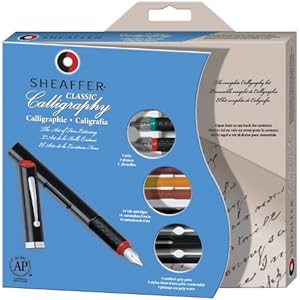
Calligraphy set for Eli
http://tiny.cc/e53yv

Day 5: Wallwisher

Cute idea. I'm not sure I'd use this in class, but I liked posting on Lisa's wall :-)

Here's my wall: post away, anyone who's reading this!

Wednesday, December 8, 2010

Day 4: Grooveshark

My boys have told me about this. Robbie will say "everyone pick a song so we can make a playlist" and we have an odd Nesmith family playlist with folk or odd rock (Bruce), 70s music (Jane), Green Day (Robbie) and Lady Gaga (Eli).

I don't like to select music, most of the time. I'd rather listen to the radio--in stereo, not MP3 files, which sound thin to me--and get pleasantly surprised. Yet Grooveshark does this, too. When I went there, I just clicked on "Classical" and they started playing a lovely Chopin Mazurka! How did they know I liked Chopin piano music? Vivaldi's up next .

But every once in a while, I NEED to hear a particular piece of music that I don't have. This site might help me there.

For example, Robbie has been working on creating a vo-corder from bits and pieces of junk around the house--found out how to do it on the internet somewhere. He tries to explain the vo-corder to people by explaining the physics behind it. They look puzzled. Then I say "You know, like Peter Frampton." And they understand :-)

So Robbie used Grooveshark to find Peter Frampton music. He was not impressed. But we were glad he got to hear it!

Day 3: Picnik

Lisa introduced me to this online tool when I was working with my journalism students on a website. It is invaluable! We didn't do cute things with it like stickers or sepia tone, but we used it to change the size of photos--especially important when loading on a web page. I think we also used it to put captions/cutlines right with the photo, which made creating the web page much easier.

I love Picnik. I haven't used it at home, but it's a great classroom tool for journalism.

Oh, I like the funny "loading" quips! They make me laugh, which is good. Need to lighten the tension when working on projects.


Here's what I did with a "fun" photo. Yeah, it's true that trumpet players have a bit of an ego. How many trumpet players does it take to change a light bulb? 10. 1 to change the bulb, and 9 to say how much better THEY could do it.

Day 2: Doodle

I've used "when is good" but Doodle is so much more fun to say! I'm pretty sure this is the one Bob Marrs used to schedule our upcoming department meeting.

I like these. Not much more to say!

1st day--poll everywhere

I don't use my cell phone much, so at first this didn't seem too interesting. . . but my students do! I'm looking for ways to keep them involved in class, and they think cell phones are interesting, so this might work.

I use survey monkey in class, and they love the instant gratification of the results graphs--this would be the same for quicker, pulse-taking questions.


Go ahead and answer if you want to! It's kind of a rhetoric nerd's poll . . .

Wednesday, August 25, 2010

Signage fail

(The Rhetoric Department's building is Eby Annex)
This one's worse.

Friday, August 20, 2010

Final Reflection

I enjoyed having this project this summer. It allowed me to have some deadlines and to work on stuff for someone else. Being a "student" and having to do "assignments" posted by someone else is always a good experience for a teacher. It reminds me of how I feel when I get behind, don't understand, DO understand, and/or have a great experience with an assignment.

One thing I found with this summer 13 things is that I'm already pretty digitally savvy. Of all the 13 things, only 1 or 2 were new. I'd never used ScribD, and I've heard of, but not signed up for online libraries/booklists (now I have a Goodreads account . . . )

Other than that, I already had a blog (actually several), have assigned wikis, adore Delicious, used Google Docs, tweeted, used You Tube vids in class, used screen capture and tag clouds, etc. etc. This program just got me going back to them and thinking about how to do them better. I'm also glad that Bruce downloaded Jing onto this laptop :-)

So thanks for the opportunity to use this stuff and be reassured that, contrary to my sons' views, I am a pretty hip person, electronically.

Thanks, Lisa, for coming up with the idea and for administering the program!

(p.s. I'm going to make a Wordle of my blog when I get to Coe--my laptop here at home is wary of the Java plug-in.)

Wednesday, August 18, 2010

Using Screen Capture in teaching

I have used screen capture when giving feedback on student work in the past. Here's a sample of me giving feedback on a brochure created in my Professional Writing class.

Screen Capture Feedback on Brochure

I found that giving them a recording of me talking my way through these documents worked VERY well for this class--they met in the evening, and some students had a hard time getting to my office hours during the day.

This worked especially well for this short document. They could listen, look at the cursor pointing out parts of the draft, and make changes.

I've also done just audio recordings of me giving feedback. Here's a link to an example--it has to download and then be played back.


They seem to pay more attention to what I say in a recording than they would when I write comments. I think that's interesting!

Jinging

Luckily, Bruce downloaded Jing onto our laptop, so I didn't have to do that part :-)

I used it to make a little screencast explaining a webpage I created a while ago. It's a webpage that links crochet and advanced geometry, using these lovely items, which I made.
I've been thinking about hyperbolic crochet (that's what it's called) because a chain of events has occurred that might lead to me doing a workshop on it down at my sister's school in Atlanta! I don't know much about math, but she's a math teacher. I'm going to teach the kids (the ones at the junior high) how to crochet these items.

We're going to make lots of items and create a "crochet coral reef" with them--because of course this kind of "advanced geometry" occurs in nature all the time. You can see one coral reef here:
Ellen will explain the math, and a biology teacher will talk about coral reefs. I'm going to handle the yarn and hooks!

So here's the link to the jing-ed video where I explain a bit of the math . . . Hope you enjoy it!

Friday, August 6, 2010

RSS Feeds

This summer I've been using Google Reader. It's handy! I like it.

Before this summer, I wondered about using RSS feeds, but I wasn't sure I wanted them. I have mixed feelings about them. It's the new version of news, where news is "pushed" to readers rather than readers looking for the news they're interested in.

Plus, I'm not sure I want to have tons of "news" being pushed at me when I'm trying to get work done on the computer.

(Any readers are finding out that I really think of my computer mostly as a work tool. I am a writer, and use it for research and word processing. I am a teacher and I use it to put together classroom material. I use the computer to keep in touch with friends.

(I don't necessarily want to have the computer TELLING me what to read and what to buy when I get on it to work! And I don't want to use the screen for all my research and interactions with people. So I like any device or software or app that lets me limit its reach while also getting the most out of it.)

I think Google Reader is a great way to handle this. It's not my homepage, so it's not like I HAVE to look at it every time I turn on the computer.

Advantages to Google Reader: It's handy for me to use when I'm curious if there's something new on a friend's blog. Or on 13 Things! Google reader is the way I've found out about Lisa's new posts, like today's. Now, with RSS, I can find out what's new in the news, or, more likely, see if there's a Fresh Air show I need to listen to :-)

I can also just click on "mark all as read" if I don't want to be bothered with Too Much Information, the scourge of our times. Handy.

So, yes, I'm going to use it--to keep up with areas of interest, both professional and not professional. But some of my fave websites still use email newsletters, Facebook, and twitter instead of RSS, so I'll use other things as well.

Monday, August 2, 2010

Creative Commons

Huh?
I did not really understand the first video--seemed like yet another montage of images with hip background music! Luckily the second one made more sense.

But is it for me?
I can see that some people in some fields might find this very useful. The example that made the most sense was the violinist playing a duet with someone who posted a solo. Cool! But I thought "Who's going to use this? Mostly post-modern cut-n-paste-remixing music and art people, not me!"

I do some sharing, but not with this license
I do use materials from the web that have "limited rights reserved;" for example, crochet patterns that are free but the author does not want you selling the items you make with the pattern. Those patterns don't have a specific CC mark on them, though. I guess if I wanted to create a pattern and post it on the web, I could use the CC mark on it that best matched what I wanted people to do with it.

How to get licensed
This is how I would do it: Go to "license your work" on the website. Fill out the form with name of work, etc. Decide on what and how much I want to share. Then copy the HTML code and paste it onto my website, or email it to myself.

It would look like this:

But would readers know what that means? I guess they would just click on the link to find out.

Would this help students?
It would be a good way to begin a discussion about what copyright laws are! If one wanted to have that discussion.

I'm not sure how I would use remixing in one of my classes. I'm not completely crazy about the cut and paste culture. . . . (see Susanne Gubanc's blog).

In my role as a teacher, it might be useful if I were creating web course materials to share with the world, but I don't know if I would do that. I guess I could look around for stuff that has this kind of license, but I did not find any kind of index on their page ("journalism exercises licensed with us," "rhetoric assignments licensed with us")

Suggestion Box
I wish they had a little index of where you could find works that have CC licenses. That would be cool. I guess the idea is that artists/scientists/writers or whoever just puts the license mark on their work.

Sunday, July 25, 2010

Good Reads

I've heard of Library Thing--in fact, my brother-in-law, a librarian, uses it--but I decided to try Good Reads.

I'm not sure I like it. It's a bit tricky to navigate and it doesn't seem completely intuitive to find my bookshelves. But it's OK.

Despite being an English major, for me, reading is really a pretty solitary activity. I don't belong to book groups, and I just have a few friends and relatives I talk with about books. I have done some sharing of booklists on my blog, nesmithfamilyblog.blogspot.com. This is quicker.

But, of course, it's ONE MORE social network to go to. Which is why I'm ready to consolidate everything with Google Reader or something similar!
Despite this handy site, I'll probably continue to keep track of books I want to read by writing titles on a tiny slip of paper I keep in my wallet . . .
and keep track of what I have read in my reader's journal.

Saturday, July 17, 2010

Fun with Google Maps

I didn't notice that Google Maps was a "thing" but I was having fun with it tonight! Here's what I made. Click on the little blue tags to get photos!


View Nesmiths in NYC in a larger map